


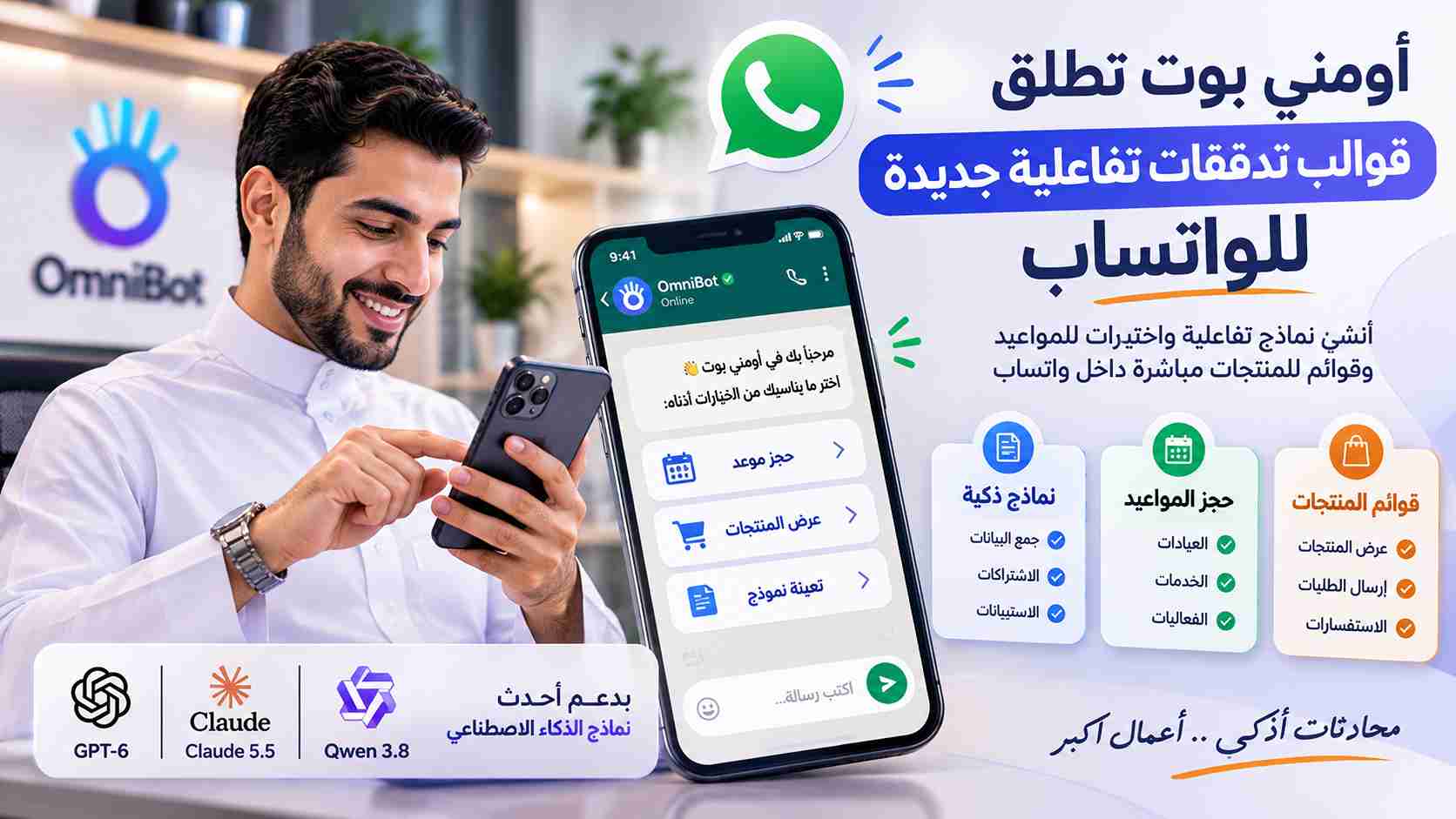

Create interactive forms, let customers select appointments, browse products, and submit requests directly within WhatsApp conversations, without leaving the app.
WhatsApp conversations are no longer limited to sending messages, asking questions, and receiving replies. They have become an important channel for delivering services, completing business processes, and engaging directly with customers.
But what if customers could complete a form, select an appointment, browse products, and submit a request, all within the same WhatsApp conversation?
That is the goal of OmniBot's new interactive Flow templates, giving businesses an easier and more structured way to turn conversations into interactive customer experiences without requiring users to navigate multiple links, websites, or applications.
Through ready-to-use WhatsApp Flow templates, organizations can build experiences tailored to their business needs, from collecting customer information and booking appointments to showcasing products and services and receiving requests.
What Are WhatsApp Interactive Flows?
WhatsApp Flows are a capability of the WhatsApp Business Platform that enables businesses to create multi-step interactive experiences directly within WhatsApp.
Instead of sending customers an external link to a registration form or service request page, a business can send a message containing a button that opens an interactive interface inside WhatsApp.
Customers can enter information, select options, and complete the required steps without leaving the conversation.
These experiences support various interactive components, including:
Text and data input fields.
Dropdown menus and predefined selections.
Radio buttons and checkboxes.
Date and appointment pickers.
Multi-screen experiences that guide users through a process.
Information and instructions presented in structured steps.
The key advantage is turning conversations into a channel for completing business actions, rather than simply exchanging messages.
What's New in OmniBot's Interactive Templates?
The new templates are designed to make it easier for businesses to build interactive WhatsApp experiences without starting every customer journey from scratch.
Key use cases include:
1. Interactive Forms for Customer Data Collection
Instead of asking customers to send information through multiple messages, businesses can provide structured forms that collect the required details through clear steps.
Examples include:
New customer registration.
Lead generation and qualification.
Service requests.
Event registration.
Subscription applications.
Customer complaints and feedback.
These forms help reduce unnecessary exchanges, organize customer information, and make it easier to route data into the appropriate business processes.
2. Appointment Booking and Time Selection
Businesses can offer a structured appointment-booking experience directly within WhatsApp instead of relying on manual conversations to determine suitable times.
Industries that can benefit include:
Clinics and medical centers.
Beauty and wellness centers.
Consulting and professional services.
Maintenance and technical service providers.
Educational and training institutions.
A booking journey can include selecting a service, choosing an available date and time, entering customer details, and submitting the request for confirmation according to the organization's process.
3. Interactive Product and Service Lists
Businesses can make product and service discovery easier by presenting customers with organized options and interactive messages that help them select what they need.
Potential use cases include:
Showcasing available products.
Browsing service categories.
Selecting products or services.
Choosing quantities and options.
Submitting purchase requests and inquiries.
This makes WhatsApp a more effective channel for supporting the customer journey, from product discovery to request submission.
4. Surveys and Customer Satisfaction
Interactive Flows can also be used to deliver structured surveys that help businesses collect customer feedback and evaluate service quality.
Examples include:
Measuring customer satisfaction after a service.
Evaluating the purchasing experience.
Collecting suggestions and feedback.
Conducting opinion polls.
Evaluating customer support experiences.
The resulting information can help organizations understand customer needs and identify opportunities to improve their services.
5. Customer Registration and Subscription Requests
Organizations can use interactive forms to simplify initial registration processes and collect the information needed to begin providing a service.
Applications include:
New customer onboarding.
Service subscription requests.
Business information collection.
Quotation requests.
Contact and consultation requests.
How Do Interactive Flows Improve Customer Experiences?
The main value of this technology is reducing the number of steps customers need to complete before receiving a service.
In a traditional process, customers may receive an external link, open a browser, complete a form, and return to WhatsApp to continue the conversation.
With interactive Flows, much of this journey can take place within WhatsApp itself.
Key benefits include:
A more convenient experience: Customers can complete actions inside an application they already use every day.
Fewer message exchanges: Structured forms replace repetitive questions and individual information requests.
More organized data: Defined fields help collect information in clear, processable formats.
Shorter customer journeys: Less need to switch between applications and external links.
More effective engagement: Conversations become practical steps that lead to requests, bookings, or registrations.
How Can Businesses Use These Templates Through OmniBot?
The value of interactive Flows goes beyond collecting information. It becomes even more significant when they are connected to a complete customer journey.
This is where OmniBot brings together conversation management, AI agents, workflow automation, and customer relationship management.
A typical customer journey could work as follows:
A customer starts a conversation with a business through WhatsApp.
The customer receives a message containing an interactive Flow relevant to their request.
The customer completes the form or selects a service or appointment.
The resulting information is received according to the available integrations and configuration.
The information can be connected to workflows to create a task, register a request, or assign the case to the appropriate employee.
The business team follows up and completes the necessary procedures.
The submission therefore does not have to be the end of the journey. It can become the starting point of a complete business or service process.
Practical Use Cases Across Industries
Clinics and Medical Centers
Customers can select a specialty, doctor, and preferred appointment time, provide initial details, and submit a booking request based on available scheduling options.
E-commerce and Retail
Businesses can showcase product options, help customers select the items they need, and receive purchase requests or inquiries.
Banks and Exchange Companies
Interactive forms can collect initial service requests and inquiries and route them to the appropriate department or employee, subject to verification and data protection requirements.
Insurance Companies
Organizations can collect initial inquiries, incident reports, and claim-related information to begin the appropriate follow-up process.
Educational Institutions
Schools and training centers can simplify student registration, course enrollment, and applicant information collection.
Maintenance and Service Companies
Businesses can receive maintenance requests, identify the required service, and collect location details and preferred visit times.
Why Does This Matter for the Future of WhatsApp Commerce?
Business communication is moving toward more interactive experiences. Customers increasingly expect to complete tasks and access services through the same channels they already use to communicate with organizations.
This shift makes WhatsApp more than a messaging channel. It becomes an interactive interface through which businesses can receive requests, collect information, simplify bookings, and support sales and service operations.
The opportunity for businesses lies in creating clear customer journeys, connecting them to internal systems, and using automation to reduce manual work and improve operational efficiency.
OmniBot: Turn WhatsApp Conversations into Real Business Actions
OmniBot provides an integrated environment that helps organizations manage customer communication and turn conversations into structured business processes.
The platform brings together several capabilities, including:
Unified Inbox: Manage conversations from supported communication channels in one workspace.
AI Agents: Intelligent agents that understand customer inquiries and respond according to defined knowledge and instructions.
AI Workflows: Automate processes and connect conversations with tasks and internal operations.
CRM: Organize customer records, sales opportunities, requests, and interactions.
Smart Follow-ups: Organize customer follow-ups and reminders.
Integrations & APIs: Connect the platform with external systems, applications, and services.
By incorporating interactive Flows into the customer journey, businesses can create more structured experiences that combine direct engagement, data collection, and process automation.
Start Turning Conversations into Interactive Experiences
Whether you operate a clinic, an online store, a financial institution, or a service business, improving the customer journey starts with reducing the steps between customers and the services they need.
Explore OmniBot and discover how AI, conversation automation, and interactive WhatsApp Flows can help improve your customer experience.
Official website: https://omnibot.cc
OmniBot | Where conversations become business actions.